
Stop Locking Your Tires: How to Use Telemetry to Set the Perfect Brake Bias
BY SRP ENGINEERING TEAM | CATEGORY: PERFORMANCE & HARDWARE
There is nothing more frustrating than putting together a perfect qualifying lap, only to hear that dreaded screech of the front tires locking up in the final braking zone. You miss the apex, ruin your tires, and lose the lap. But is it your technique, your car setup, or your hardware betraying you?
The Physics of Tire Lockup and Weight Transfer
Before we touch the telemetry, we must understand the physics. When you smash the brake pedal at 250 km/h, the car’s mass violently shifts forward. This forces the front tires into the tarmac, giving them massive grip, while the rear tires become light and lose traction.
A lockup occurs when the braking force applied to a specific wheel exceeds the grip available at that exact millisecond. As your car slows down, downforce decreases, meaning you have less grip at 80 km/h than you did at 200 km/h. If you maintain 100% brake pressure as the car slows, you will lock the tires. This is why trail braking is mandatory.
Dialing in the Brake Bias
Brake Bias is the percentage of braking force sent to the front tires versus the rear tires (e.g., 54% Front / 46% Rear).
- Too much Front Bias: The car feels stable under braking, but the front tires will lock up easily, causing aggressive understeer. You will miss the apex.
- Too much Rear Bias: The front tires won’t lock, but the rear end will step out, causing the car to spin under heavy braking (oversteer).
The goal is to move the brake bias as far rearward as possible without spinning the car. This spreads the braking load across all four tires, preventing the fronts from overloading and locking up.
The Telemetry Test: What Does Your Brake Trace Look Like?
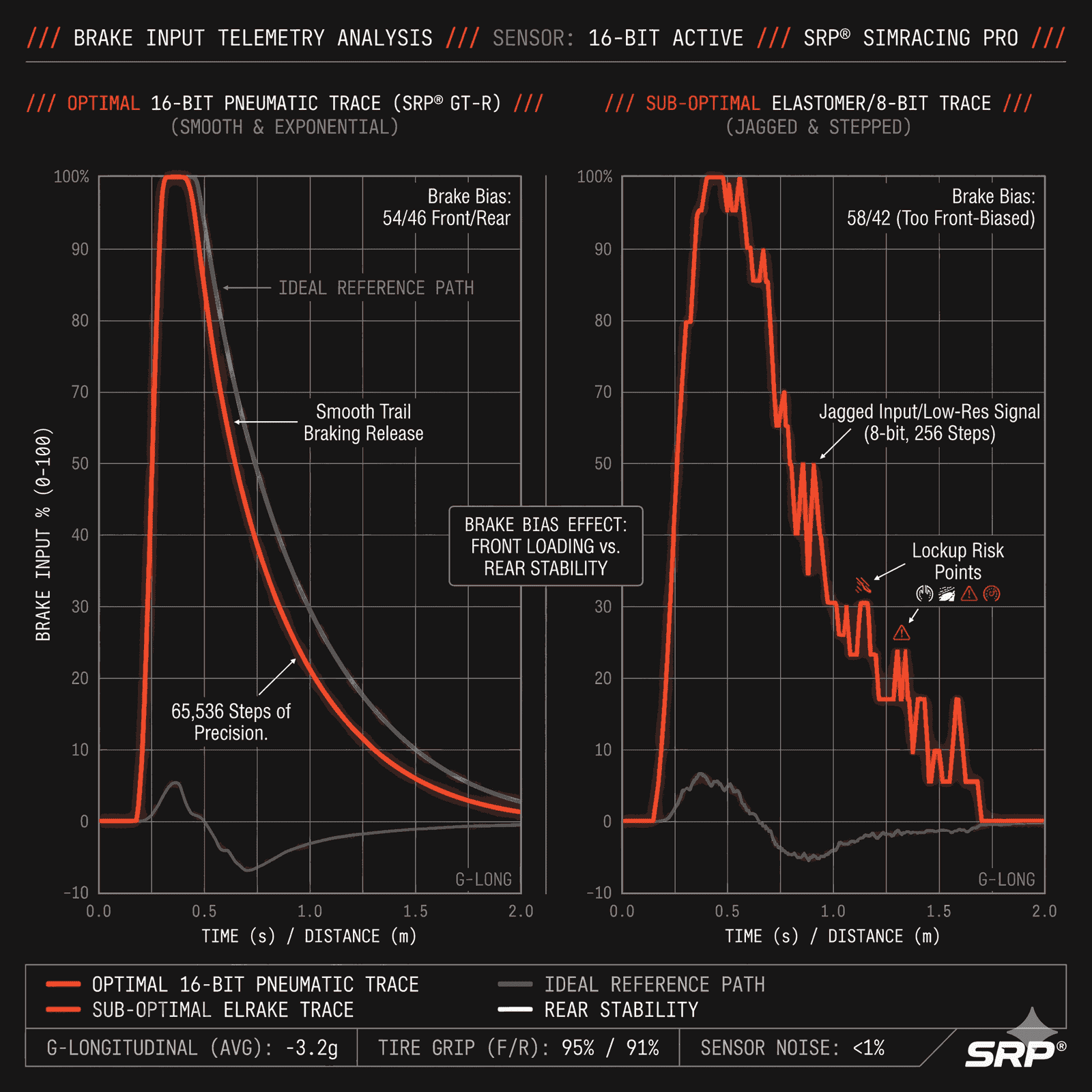
If you use software like MoTeC, VRS (Virtual Racing School), or Garage61, look at your brake input trace (the red line). A perfect brake trace looks like a shark fin: a vertical spike to maximum pressure, followed by a smooth, curved slope downwards as you approach the apex.
If you are constantly locking your tires, check your trace for “micro-spikes” during the release phase. If your red line looks jagged or stepped instead of perfectly smooth, your virtual car is receiving erratic braking signals.
/// SRP_ENGINEERING_DEBRIEF
The Resolution Bottleneck: Many sim racers blame their setup for locking tires, when the real culprit is poor pedal resolution. Standard load cell pedals often use 8-bit or 12-bit electronics. When you slowly release the pedal to trail brake, the signal sent to the PC jumps in “steps” rather than a smooth curve. If you are at the absolute limit of tire grip, a sudden hardware signal jump of just 2% pressure will instantly lock the wheel. The simulator only does what the hardware tells it to do.
Why 16-Bit Resolution is the Ultimate Fix
If you have dialed in your brake bias perfectly and you are still suffering from random lockups in the middle of the braking zone, it is time to look at your hardware’s electronic precision.
Professional simulators use 16-bit electronics. To put this in perspective: an 8-bit sensor gives you 256 steps of pressure. A 16-bit sensor, like the custom electronics inside the SRP® Pneumatic Pedals, gives you 65,536 steps of resolution.
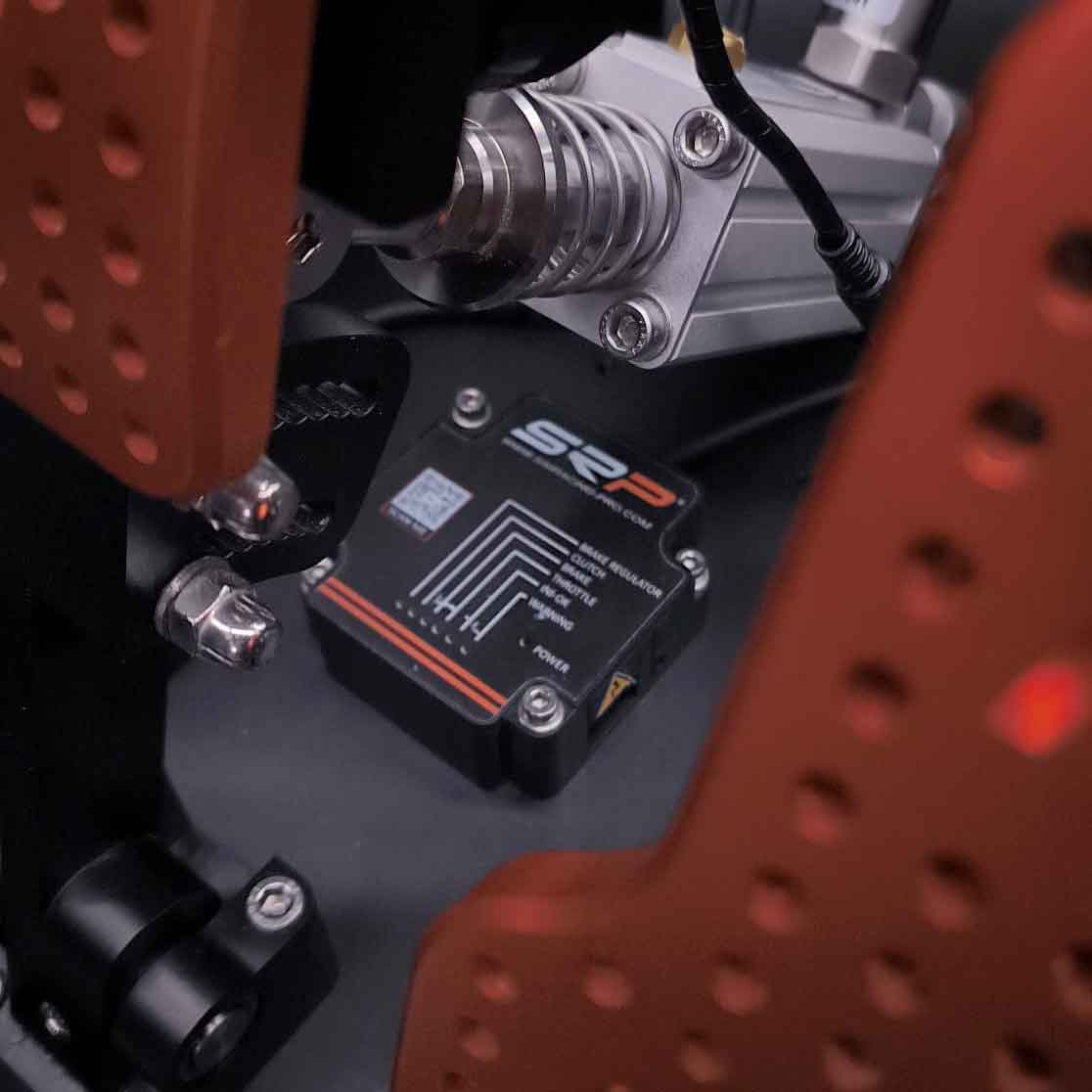
This massive data flow ensures that your brake release is translated into the simulator as a perfectly smooth, uninterrupted mathematical curve. There are no sudden signal jumps, no micro-spikes, and therefore, no hardware-induced tire lockups. When you combine this electronic precision with the zero-fade feeling of a pneumatic cylinder, trail braking becomes effortless.
The Verdict
Stop guessing your brake bias. Check your telemetry. If your brake trace is jagged, no setup tweak will save your tires. You need hardware that translates your physical finesse into perfect digital data.
Ready to master the braking zone?
Upgrade to 16-bit telemetry and industrial pneumatic engineering. Stop locking up. Start winning.