
/// Setup Tutorial · Handbrake Ergonomics
Adjust Your Handbrake: Tension, Throw & Tilt
"Adjustable hardness" is only the beginning. A handbrake you can trust needs three mechanical settings working together, plus a calibrated output. Here is how to set each one, step by step.
- TENSIONresistance
- THROWtravel
- TILTgrip angle
- 0tools
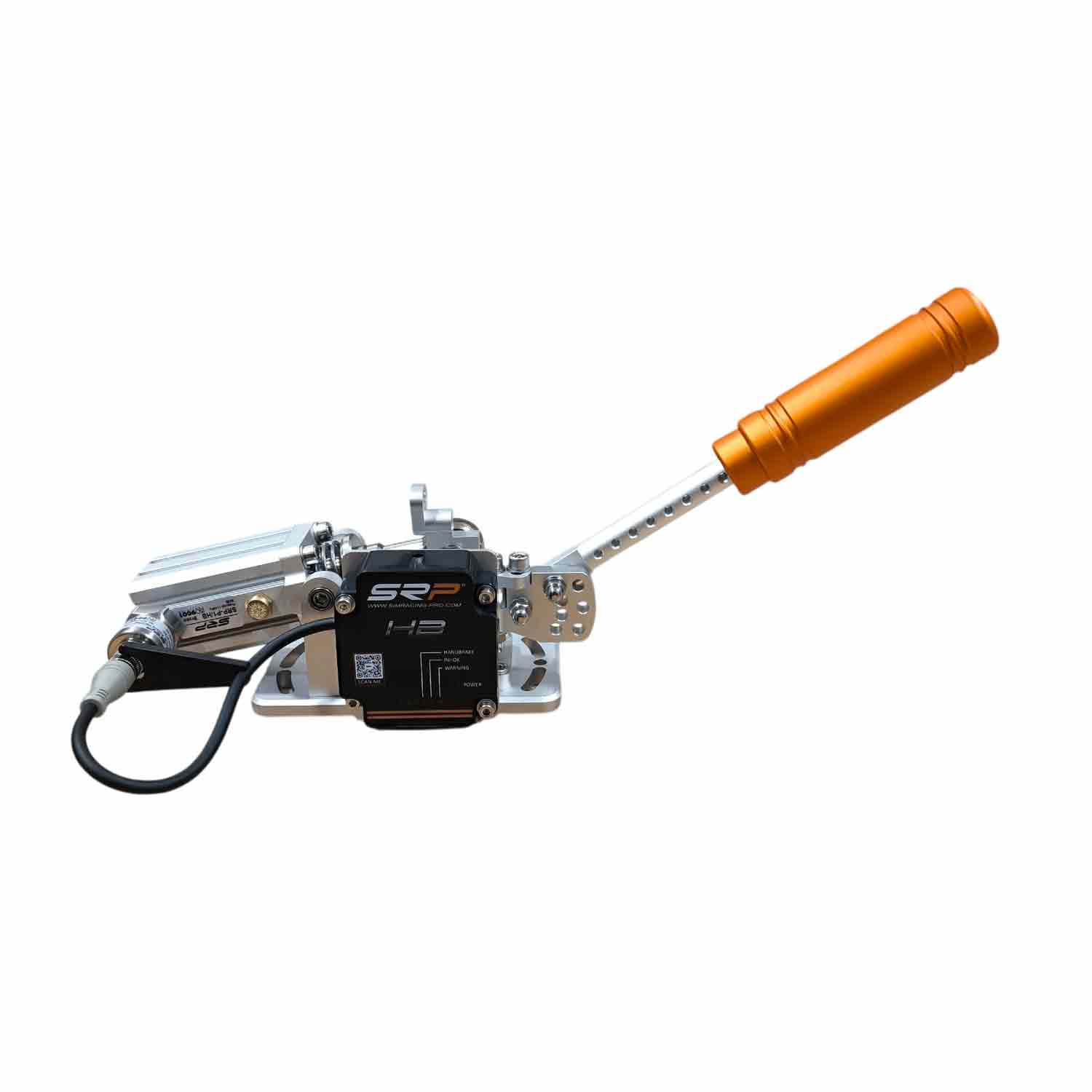
Most drivers set their handbrake once and never touch it again. That is a mistake: a few minutes of adjustment change how quickly you lock the rear, how precisely you modulate, and how tired your wrist feels after an hour. On the SRP® HB pneumatic handbrake, every setting below is mechanical and tool-free.
// 01 · TensionSet the resistance
Tension decides how much force the air cylinder builds as you pull. Think of it as handbrake hardness.
- Firmer for rally: a solid wall makes short, sharp locks repeatable.
- Softer for drift: you can hold partial pressure for longer without fatigue.
- Test: pull to 50% with your eyes closed, then check the axis. If you are consistently off, adjust.
// 02 · ThrowSet the lever travel
Throw is the distance from rest to full pull. Short throw means faster locks; long throw means more resolution for your hand to modulate.
| Use | Throw | Why |
|---|---|---|
| Rally hairpins | Short | Lock in a fraction of a second |
| Drift extension | Medium to long | Room for partial pulls |
| Mixed / learning | Medium | Balanced starting point |
// 03 · TiltAlign the grip with your wrist
Your wrist pulls along an arc, not a straight line. Knob tilt — a proprietary SRP® feature — angles the grip so your pull follows that natural arc. The result is less strain in long sessions and more precise fast pulls. Pair it with a custom SRP® HB knob in your team colour.
// 04 · SoftwareCalibrate and shape the output
- Connect via USB-C and open the free SRP® HBsetup software.
- Recalibrate the range after any throw change, so 0% and 100% match the new travel.
- Set sensitivity and the activation curve — early lock for rally, progressive for drift.
- Save a profile per discipline.
- In your sim, bind the axis and set the deadzone to 0%.
Ready-made curve suggestions per game are in our handbrake curve settings guide.
// 05 · Quick referenceStarting setups
Firm · short · early curve
Fast, repeatable locks for hairpins and flicks.
Medium · long · progressive
Room to hold and adjust angle mid-drift.
Medium · medium · linear
Less fatigue over long stages.
Before adjusting: make sure the handbrake is rigidly mounted. Flex in the mount feels like a soft setting and hides your adjustments. See our mounting guide.
Technique for each discipline is covered in the rally & drift handbrake guide, and the full buying guide in the best handbrake for sim racing.
// FAQFrequently asked questions
How do I make my sim racing handbrake harder?
Increase the tension. On a pneumatic handbrake, this raises the resistance the air cylinder builds over the pull. On the SRP® HB, tension is adjusted mechanically and without tools.
What is handbrake throw?
Throw is the lever travel from rest to full pull. A short throw gives faster locks for rally; a longer throw gives more room to modulate for drift.
Why does handbrake tilt matter?
Tilt aligns the grip with the natural angle of your wrist. A correct angle reduces fatigue in long sessions and makes fast pulls more precise. Knob tilt is a proprietary feature of the SRP® HB.
Do I need to calibrate the handbrake after adjusting it?
Yes. After changing throw, recalibrate the range in the software so 0% and 100% match the new travel. Then check the axis in your sim.
Is "adjustable hardness" enough?
Hardness is only one variable. Independent control of throw, tension and grip angle, plus a configurable output curve, gives you a handbrake you can tune to each discipline.
Three settings. Zero tools.
Throw, tension and tilt on a CNC-machined pneumatic handbrake. In stock, ships in 48h.
View SRP® HB — from €336Custom knobs